










Combine recurring services with precise exceptions instead of editing bookings to fake availability.
Before you start
- Finish the floor and table capacities.
- Agree the regular lunch and dinner windows.
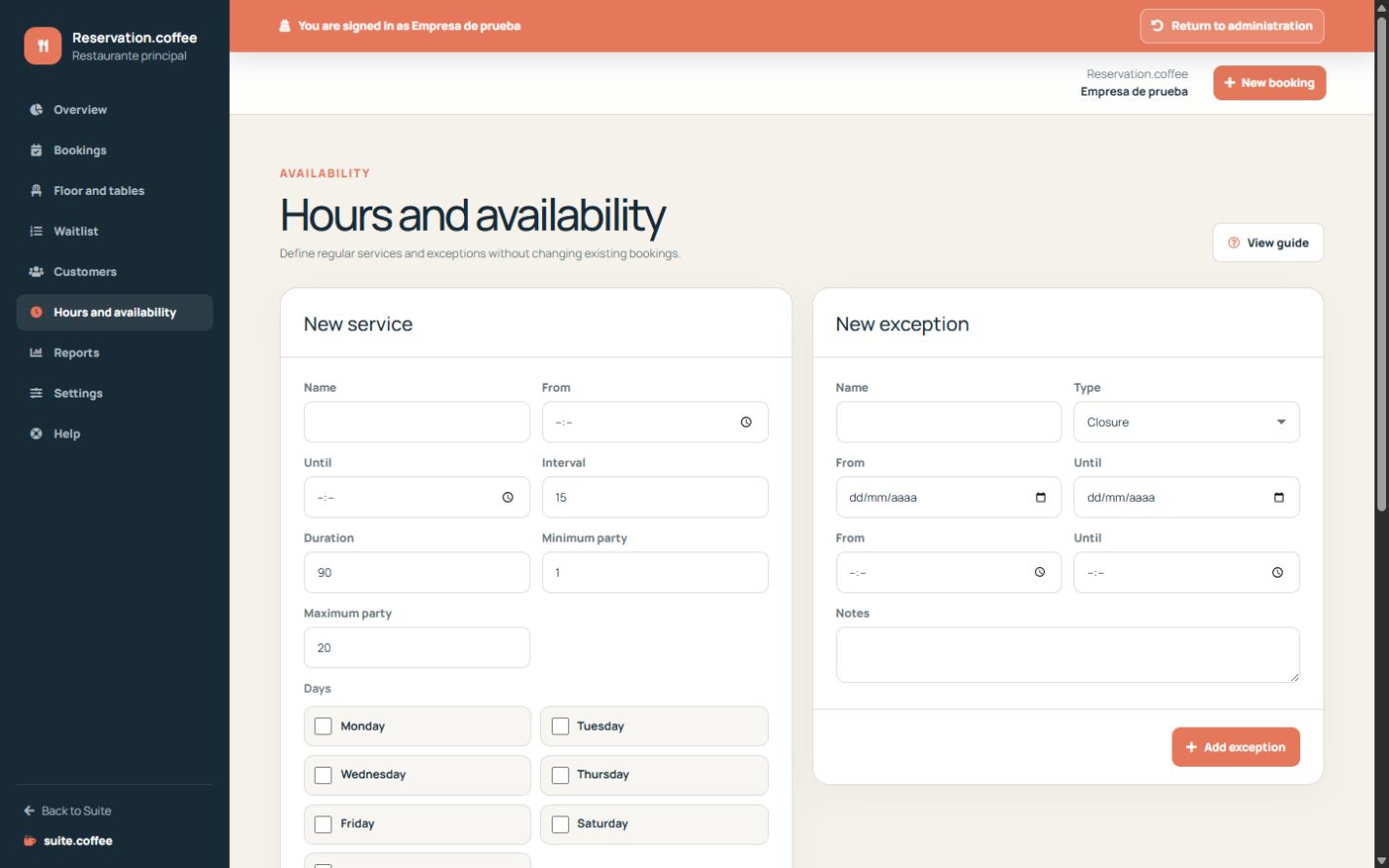
Define regular services
Select weekdays, opening window, slot interval, duration and permitted party sizes. These periods generate candidates; they do not persist empty slots.
Add precise exceptions
Use closures or blocks for unavailable dates and optional areas. Exceptional openings add a specific time window. Existing bookings are not silently changed by a new exception.
Understand the calculation
Reservation combines service periods, exceptions, notice, buffer, party size, table capacity and overlapping bookings. It checks the same rules again inside the booking transaction.
Step by step
- Open Hours and availability.
- Create each regular service with weekdays, window and duration.
- Set interval and valid party-size range.
- Add closures, blocks or exceptional openings for exact dates.
- Review the public page for an affected date.
Final check
- Service windows do not overlap unintentionally.
- Exceptions use the correct date, type and optional area.
- Existing bookings remain visible after a new exception.
Tip: Use a closure or block for unavailable capacity; do not cancel a real booking just to adjust the schedule.