










Model physical capacity accurately so automatic and manual assignments remain trustworthy.
Before you start
- List the real areas and usable tables.
- Decide minimum and maximum capacity for every table.
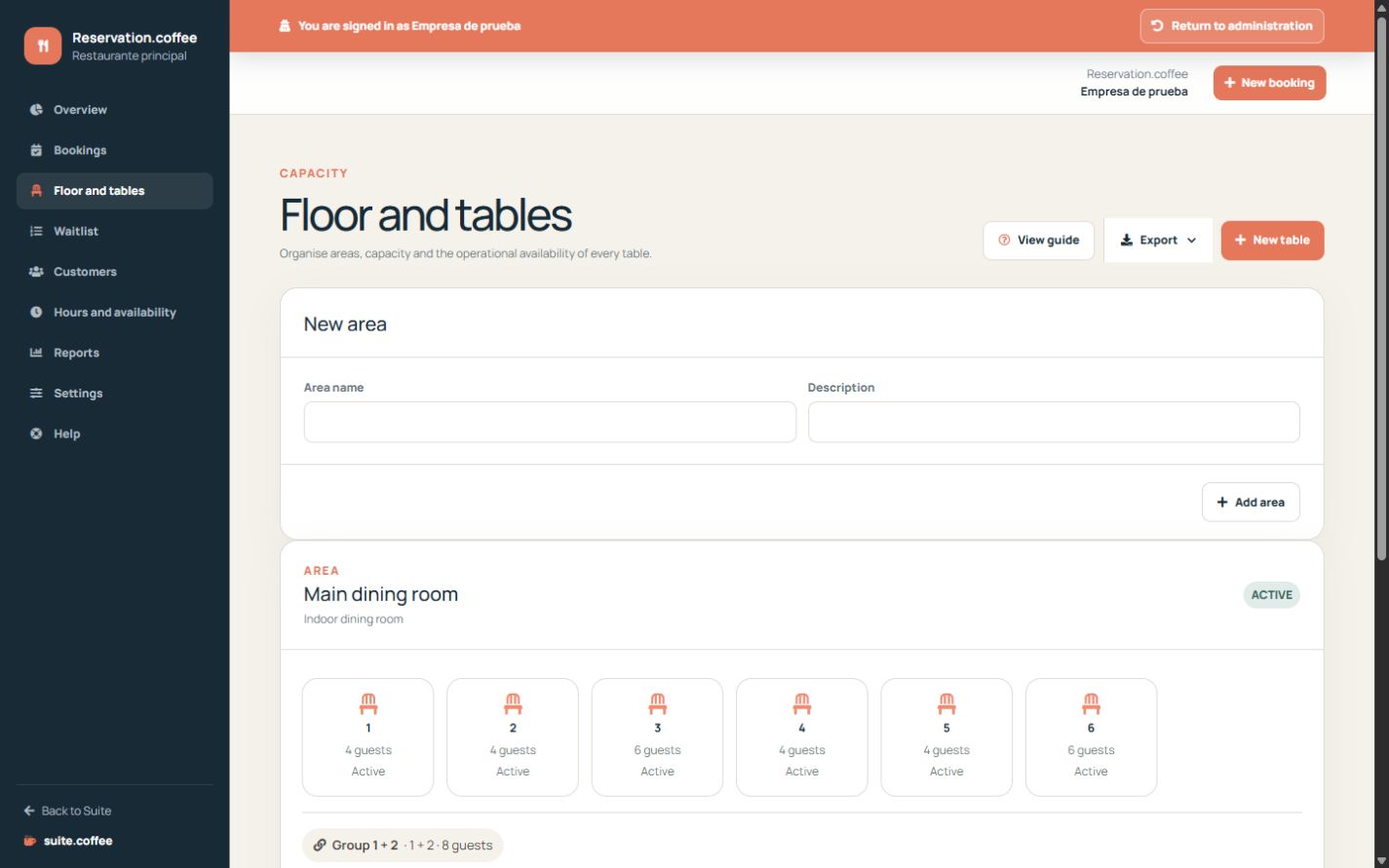
Build the floor
Create areas and active tables with minimum and maximum capacity. Clear names make manual assignment and service operation safer.
Combine valid tables
A combination requires at least two different tables from the same area, cannot duplicate an existing combination and cannot exceed their accumulated capacity.
Respect plan suspension
Only active, non-suspended tables receive new bookings. Reducing plan capacity preserves excess tables and history but suspends their availability reversibly.
Step by step
- Open Floor and tables.
- Create each area with a clear operational name.
- Add tables with real minimum and maximum capacity, shape and status.
- Create combinations only for tables that can physically join.
- Review suspended or blocked tables before service.
Final check
- Every table belongs to the correct area.
- Combined capacity does not exceed the physical total.
- Only active non-suspended tables receive new bookings.
Tip: Use stable table names used by staff; decorative names make live assignment harder.