










Use the shared organisation identity to review restaurant activity without creating an isolated address book.
Before you start
- Customer records normally come from bookings.
- Use contact data only for legitimate service operations.
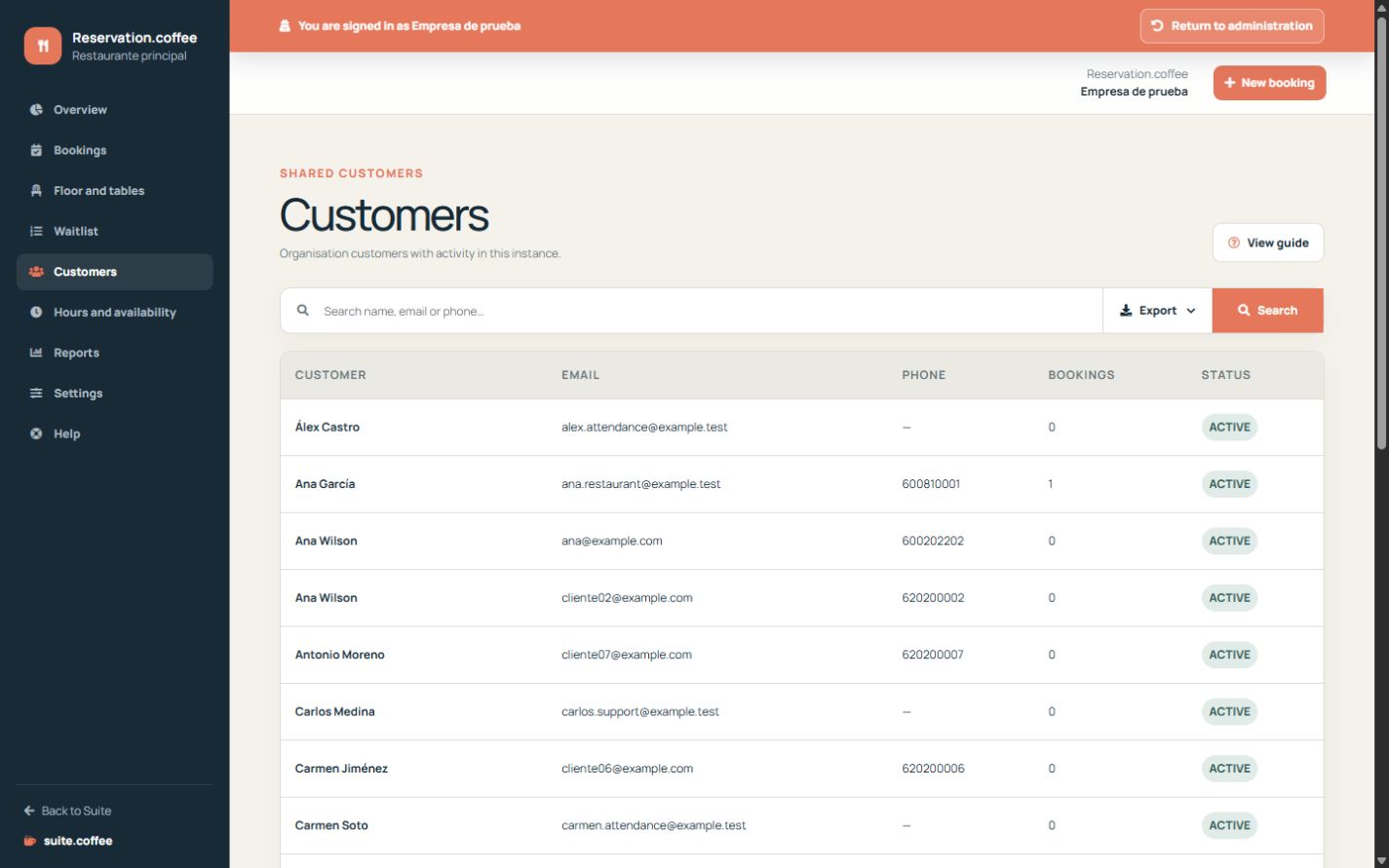
Reuse the organisation identity
Manual and public bookings reuse a customer by email or phone when possible. Selecting an existing customer uses its current shared contact details.
Review Reservation activity
The customer list shows organisation records and their booking count for this instance. Other connected services may reuse the same identity under their own permissions.
Verify the person before editing shared data elsewhere; Reservation history remains linked to the common record.
Step by step
- Open Customers and search by name, email or phone.
- Check the booking count for this instance.
- Verify contact data before using it operationally.
- Open Bookings when reservation-level action is required.
Final check
- The same person is not duplicated.
- Contact details are current.
- Activity is interpreted within this instance only.
Tip: Search before creating a manual booking; reusing the shared customer keeps a coherent history.