










Keep the booking record aligned with real capacity, guest details and the service outcome.
Before you start
- Create tables and service periods.
- Search the shared customer before creating a duplicate contact.
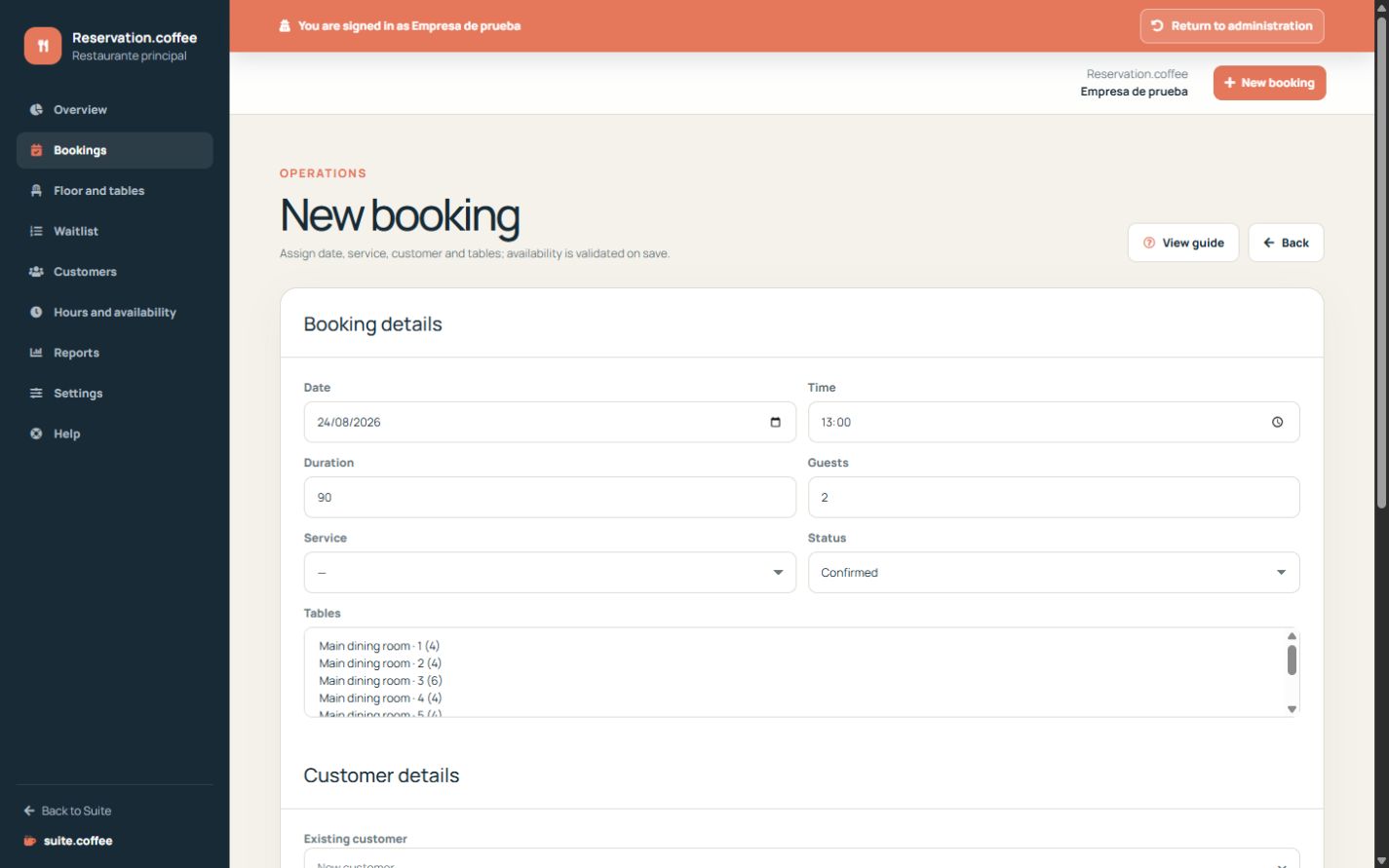
Create a coherent booking
Select an existing shared customer or enter new contact data, then date, time, duration, party size, optional service and tables. Reservation validates ownership, capacity and availability before saving.
Use operational statuses
Move a booking through pending, confirmed, seated and completed, or mark it cancelled or no-show when appropriate. Each change is audited and updates connected operational context.
Treat deposits correctly
A deposit amount is an operational value. When greater than zero it publishes a business operation that an authorised Invoice connection may invoice. Reservation does not collect money, issue an invoice or prove that the deposit was paid.
Step by step
- Open Bookings and choose New booking.
- Enter date, time, duration, party size and service.
- Assign enough available table capacity.
- Select an existing customer or enter a new contact.
- Save and update the status through seated, completed, cancelled or no-show.
Final check
- Assigned capacity covers the party without overlap.
- Customer contact identifies the correct person.
- Status and optional deposit reflect the real outcome.
Tip: A deposit is an operational amount, not proof of payment or an issued invoice.